¶ Market Redirects
¶ What is Market Redirect?
Market Redirect allows you to automatically redirect customers to the correct store experience based on their market, country, language, or currency.
Example:
- Spanish customers see your Spanish store, US customers see the US store.
- Helps increase sales and improve customer experience globally.
¶ How to Set Up Market Redirect
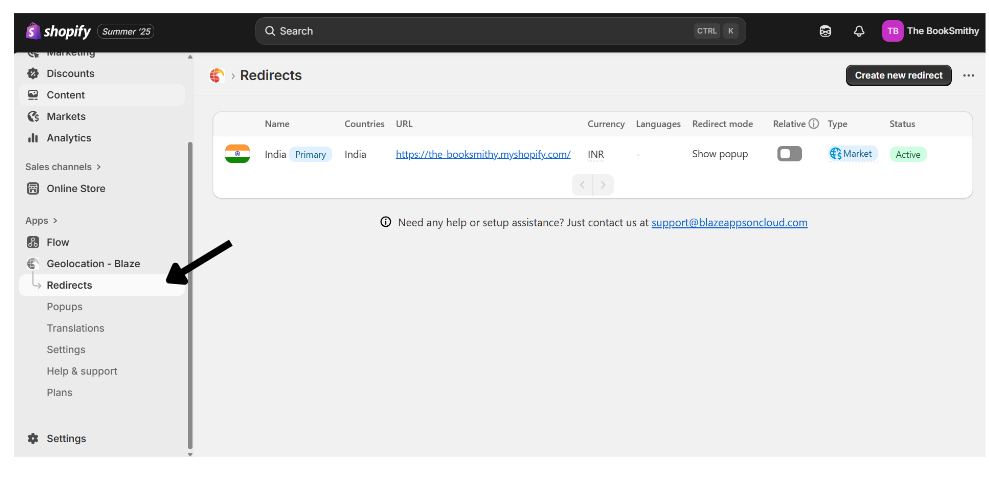
- Go to Blaze Geolocation in Shopify admin.
- Click on “Redirects” in the sidebar.
¶ Add a New Custom Redirect
-
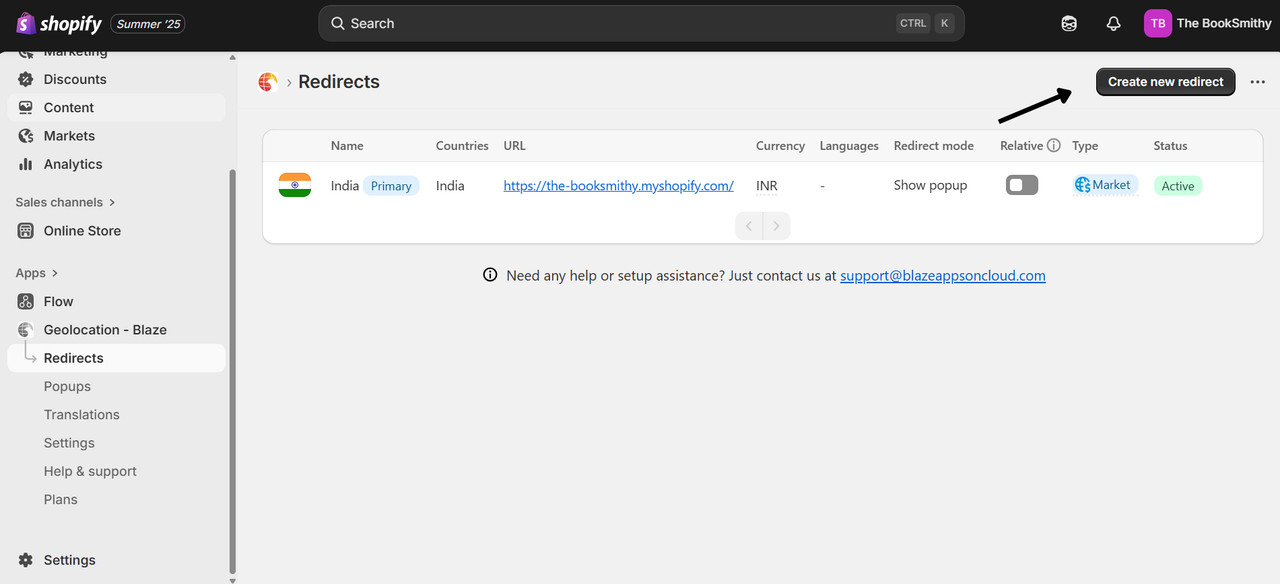
Click “Create Market Redirect”.
-
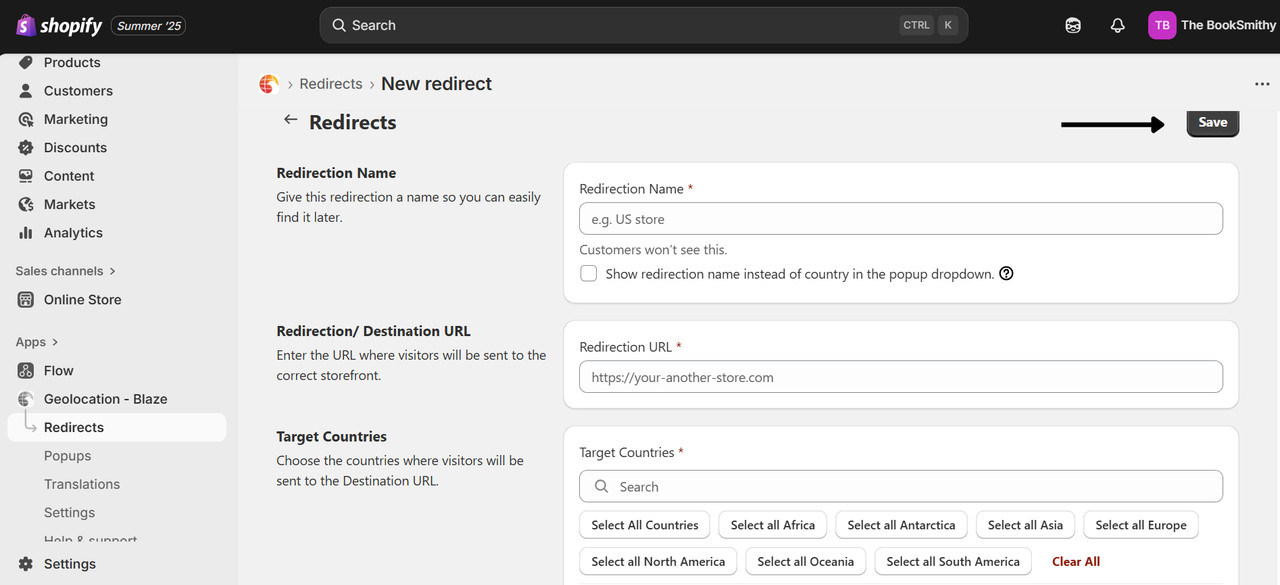
Source Market: Select the market where customers currently visit.
-
Target Store / Redirection URL:
- Enter the URL of the store or page you want users to be redirected to.
- Target Countries:
- Choose one or multiple countries where this redirect should apply.
- Example: United States, Canada, UK.
- Click Save.
¶ Shopify App store Link
GET IT ON
Shopify App Store
Shopify App Store
¶ Always here for you
if you require any help, you can contact us at support@blazeappsoncloud.com and we will happily configure the the app for you on your store.