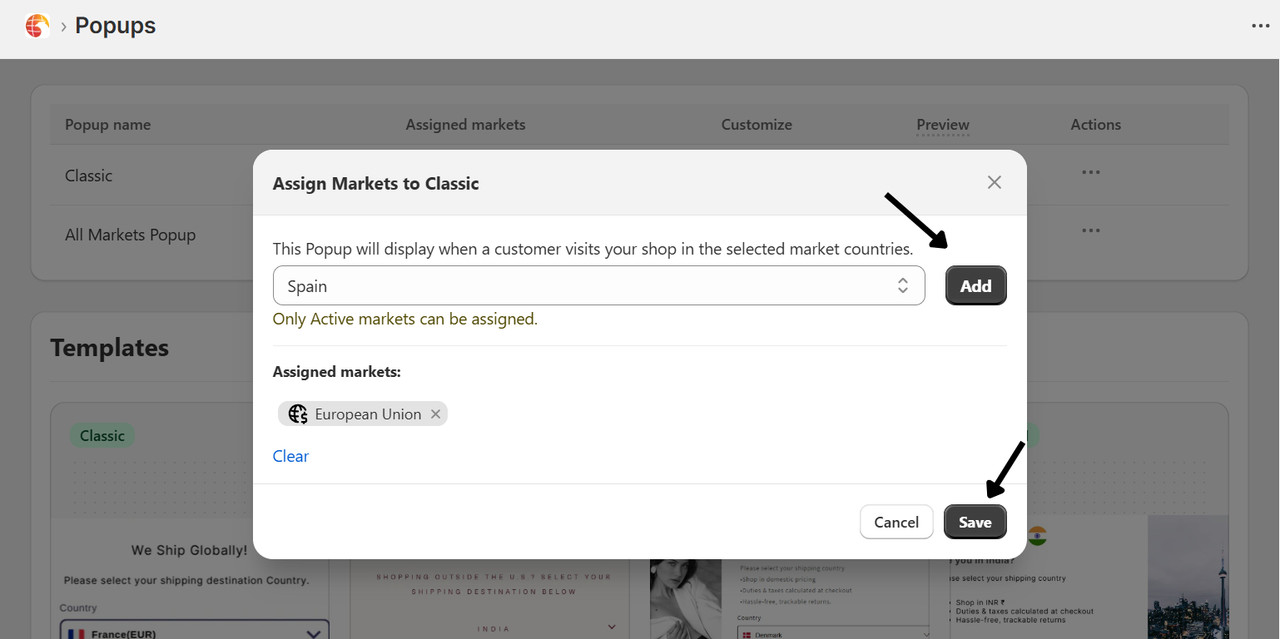
¶ How to Assign Popup to Countries
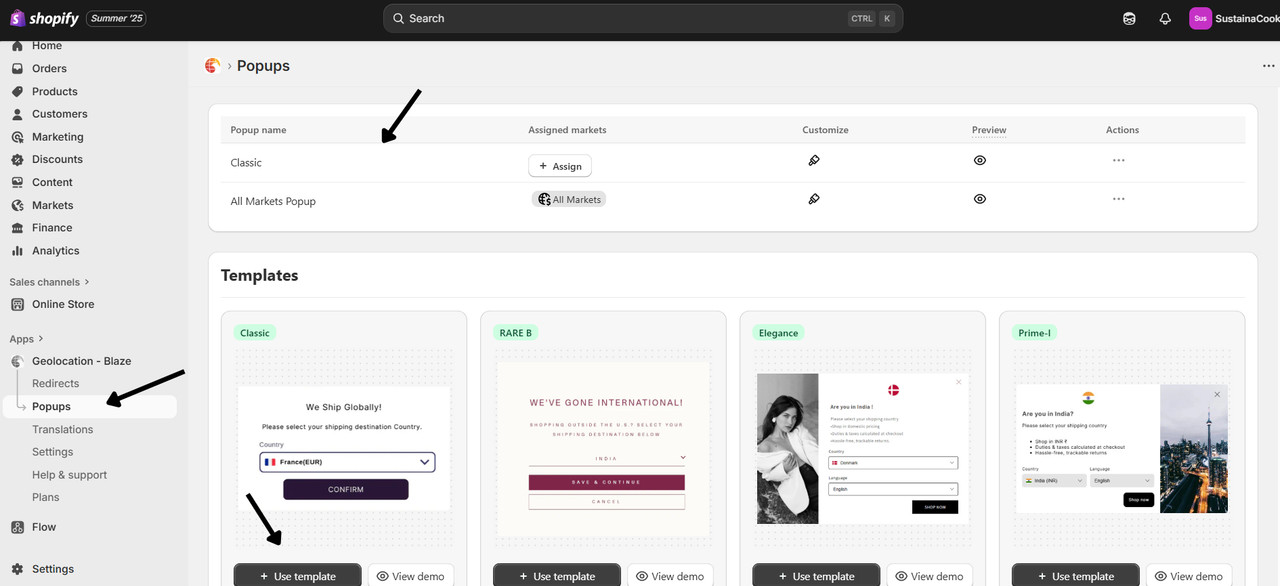
¶ Step 1: Open Popup Settings
- Navigate to Blaze Geolocation → Popup.
- Click “Create New Popup” using any template or select an existing one.
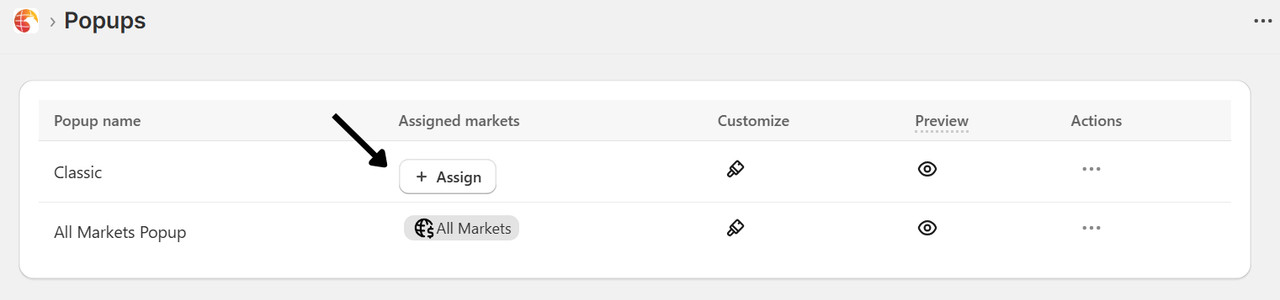
¶ Step 2: Assign to Countries
- In the popup section, click on Assign .
- Select the countries where this popup should appear.
- Example: US, UK, Spain.
- Save changes.