¶ Selector Placement
¶ To control where and how the Geolocation Selector appears on your store, follow these steps:
-
Go to your Shopify Admin Panel.
-
Navigate to Online Store > Themes, and click on Customize.
-
In the Theme Editor, click on the “App embeds” section from the left sidebar.
-
Find the Geolocation Selector and toggle it ON.
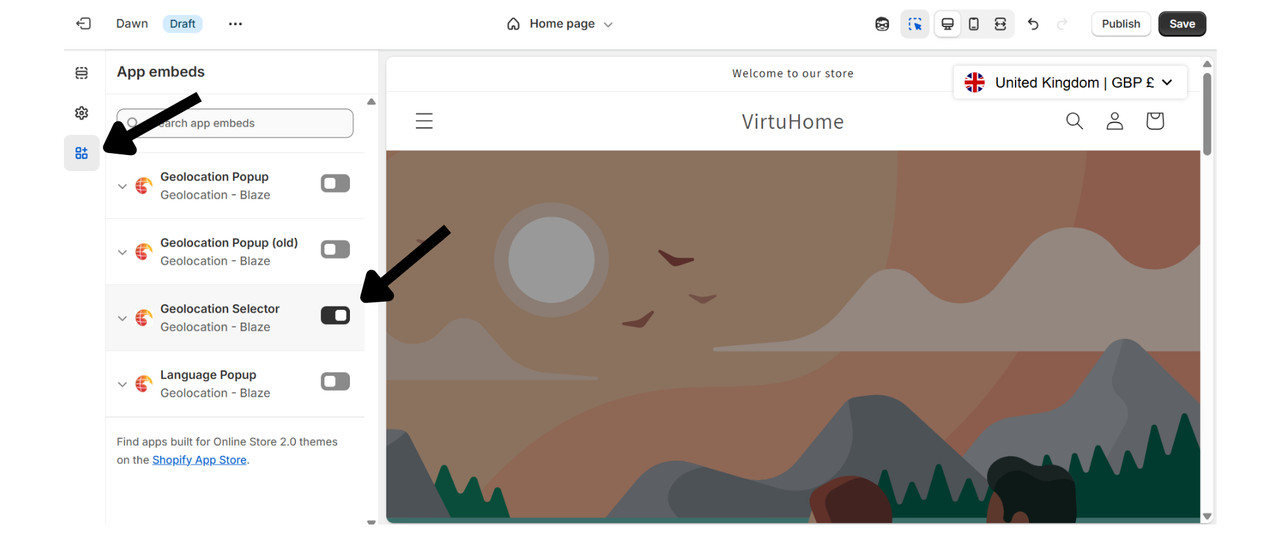
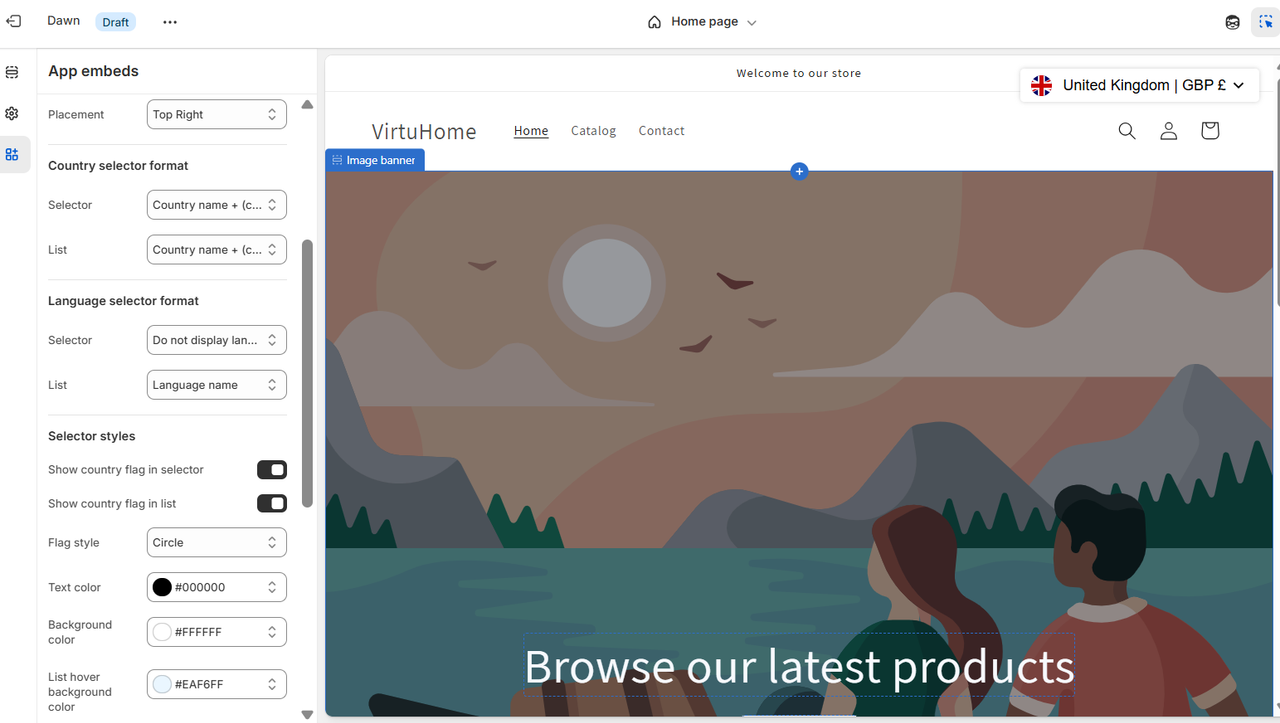
Once enabled, you can customize the selector's appearance and behavior from the app settings:
Positioning: Choose where the selector appears on the page (e.g., bottom-left, top-right, etc.).
Display Content:
Customize what should be shown in the selector, such as:
-
Country Name
-
Currency Name
-
Country Code
Style Options:
-
Enable or disable flags
-
Customize background color
-
Change text size and font style
-
Adjust padding, spacing, and alignment
¶ Shopify App store Link
Shopify App Store
¶ Always here for you
For any assistance with enabling or customizing the geolocation popup, please do not hesitate to contact us. Our team is ready to help and can even customize the popup for you to ensure it perfectly meets your needs.
Email us at support@blazeappsoncloud.com for any help required. We are here to support you in making the most out of the Blaze Geolocation Redirect app.